Tech
Timewarp TaskUs: What It Is, How It Works, and What Employees Should Know

What Is Timewarp TaskUs?
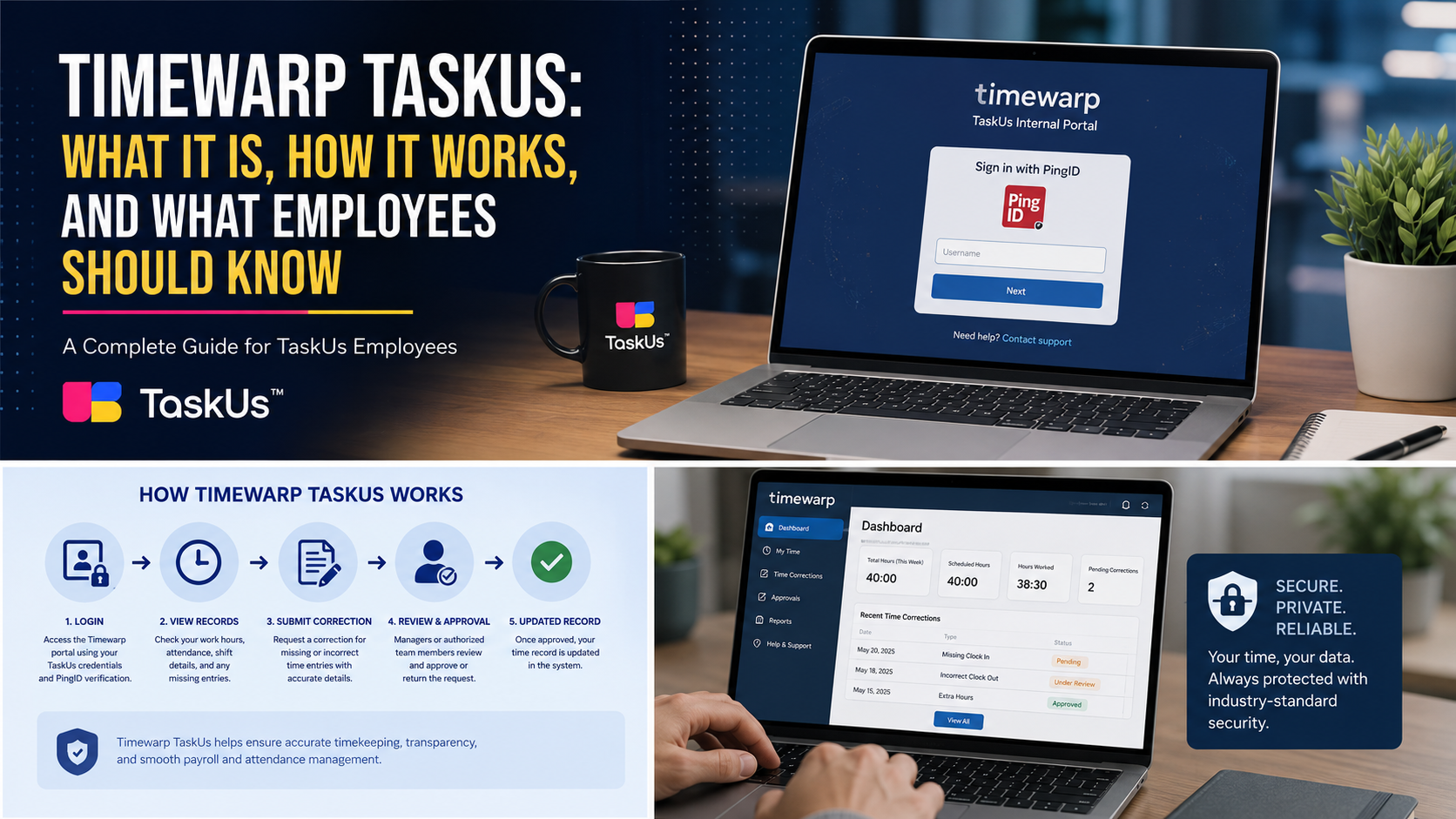
Timewarp TaskUs appears to be an internal workforce portal used by authorized TaskUs employees. Public information connects it mainly with employee timekeeping, attendance records, shift details, and requests to correct inaccurate work-hour entries. It is not a public productivity application, customer support platform, or software product that outside businesses can purchase.
The system is private, so most functions sit behind company authentication. This limited visibility has caused confusion online, with some websites describing Timewarp TaskUs as an advanced AI platform. Those claims are not supported by public TaskUs documentation, so employees should rely on official company instructions.
How TaskUs Timewarp Works
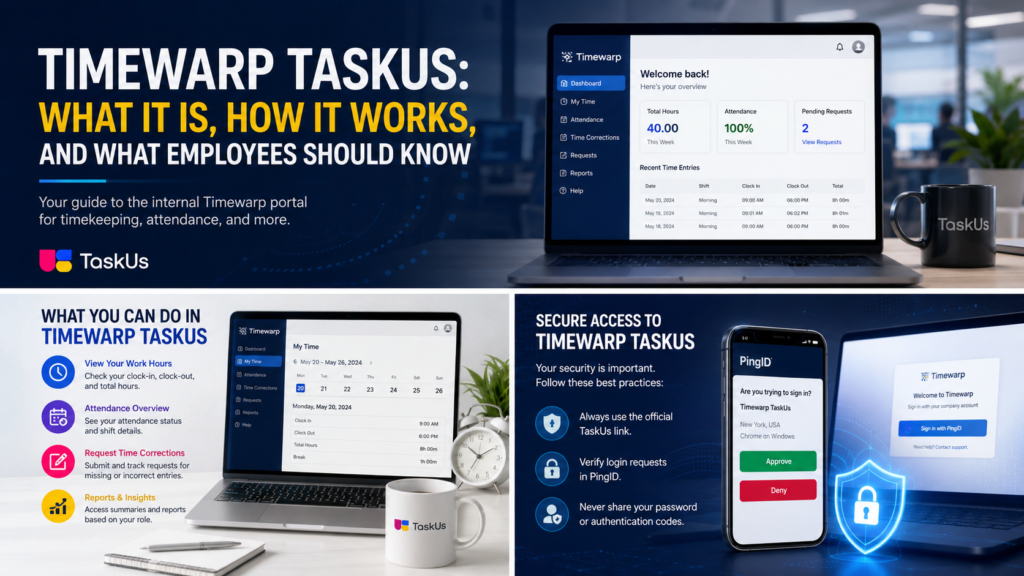
Taskus timewarp is accessed through a company-controlled web portal. An employee normally opens the approved link, signs in with his or her workplace account, and completes identity verification through PingID. Once authenticated, the person may be able to view time records, identify missing entries, and submit corrections based on the permissions connected to the account.
The dashboard can differ by role, campaign, location, and responsibility. A regular employee may see only personal attendance information, while a supervisor could review or approve time-edit requests. Since no complete public manual exists, descriptions of Timewarp TaskUs should not present unconfirmed tools as official features.
What Employees May Use It For
The strongest public evidence suggests that Timewarp TaskUs supports clock-in records and time-entry corrections. For example, an employee who forgets to clock in, notices the wrong end time, or finds a missing shift may need to submit an edit. That request may then be reviewed by a manager, workforce team member, or another authorized employee.
The system may compare scheduled hours with recorded attendance. However, this does not mean it calculates payroll, tracks every performance metric, or manages a full schedule. A timekeeping portal can share data with other systems without containing every workforce or payroll function.
How to Log In Safely
Employees should access Timewarp TaskUs only through a link provided by TaskUs, a team leader, onboarding material, or an approved internal resource. Search engines may display the correct portal, but they can also show unofficial websites. A worker should always check the domain before entering a company password or approving an authentication request.
The official portal uses PingID, which adds an important security step. An employee should approve only a login request that he or she personally started. Unexpected verification prompts should be rejected because they may indicate an unauthorized login attempt. Passwords, verification codes, and account approvals should never be shared with another person.
Common Login Problems
Timewarp TaskUs requires JavaScript, so the portal may not load if JavaScript is disabled. Browser extensions, strict security settings, old browser versions, or network restrictions can also interfere with access. The employee should first confirm that the correct portal is being used and then follow the company’s approved technical support process.
A new employee may receive an error if access has not yet been assigned. An existing employee may also face problems after changing a phone, losing PingID access, or moving campaigns. These cases should be handled through official identity recovery, IT support, or the internal ticketing process.
Correcting a Time Entry
Before requesting a correction in Timewarp TaskUs, an employee should verify the date, scheduled shift, and actual hours worked. Clear and accurate information helps the reviewer understand the problem. The employee should not guess a time because an incorrect correction can create additional attendance, payroll, or approval issues.
After submitting an edit, the worker may need to wait for an authorized reviewer to approve, reject, or return it for clarification. A submitted request does not always mean the official record has already changed. The employee should check its final status and respond quickly when a manager or support representative asks for more details.
What SG Timewarp Means
The phrase sg timewarp commonly refers to the TaskUs portal address that includes the “sg” subdomain. Some people assume that “sg” means Singapore, but TaskUs has not publicly confirmed that explanation. It could be connected with regional hosting, internal infrastructure, or another technical naming system.
Employees should not change the portal address manually or try to discover alternative regional links. The safest option is to use the exact URL supplied by the company. This helps the employee reach the correct environment for his or her account and reduces the risk of entering credentials on an unofficial or misleading website.
Is Timewarp TaskUs an AI Tool?
There is no reliable public evidence showing that Timewarp TaskUs is an AI-powered application. TaskUs provides services connected with artificial intelligence, digital customer experience, data operations, and trust and safety. However, that wider business activity does not prove that its internal timekeeping portal uses machine learning.
Some articles claim the system predicts staffing, assigns customer tickets, measures productivity, or analyzes customer behavior. Those descriptions may confuse the company’s broader technology services with a separate employee tool. Until TaskUs publishes supporting documentation, these functions should be treated as unverified rather than presented as established facts.
Timewarp NYC, Riftbound, and AEM Timewarp
Timewarp nyc is unrelated to Timewarp TaskUs. It refers to Time Warp New York, an electronic music event associated with major performances in Brooklyn. People searching for festival dates, artists, venues, or tickets are looking for entertainment information, not an employee timekeeping portal.
Timewarp riftbound refers to Time Warp, an Epic card in Riftbound, the trading card game based on the League of Legends universe. The card is connected with an additional-turn effect during gameplay. It has no relationship with employee attendance, authentication, workplace schedules, or TaskUs systems.
Aem timewarp is a feature within Adobe Experience Manager. It helps content authors review how a web page appeared at another point in time and may support previews of future content in certain workflows. This is a website publishing and page-versioning feature, not a workforce or attendance application.
Privacy and Security Tips
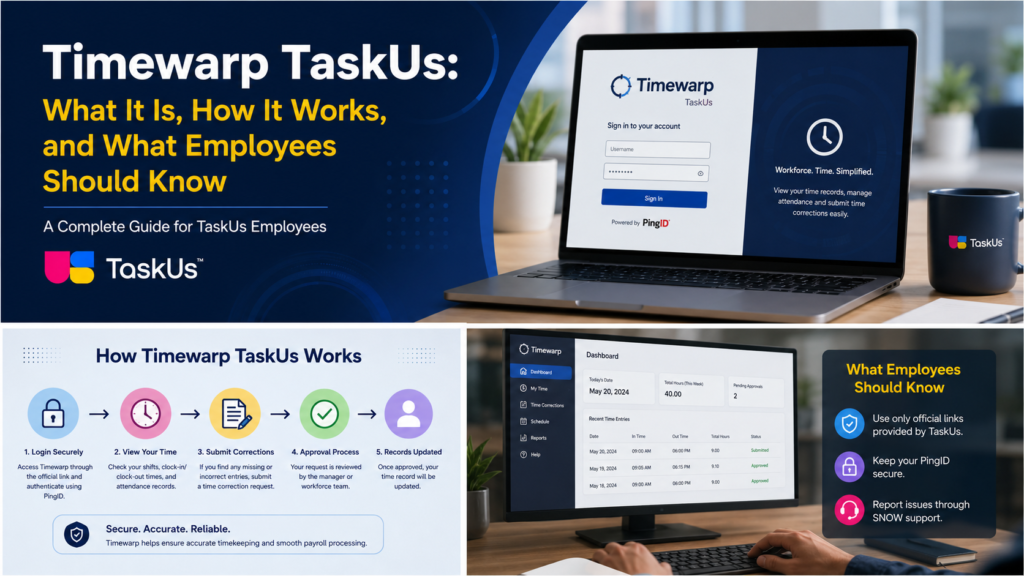
Timewarp TaskUs may contain private work information, including attendance records, schedules, employee details, or internal navigation. Workers should avoid posting screenshots publicly or sending them through unapproved channels. Even a simple screenshot can expose confidential information about the employee, the company, a client, or a work campaign.
Employees should sign out after using a shared device and report suspicious authentication activity immediately. They should also use only official support systems when requesting help. The portal directs users with platform concerns toward SNOW, the internal ticketing route mentioned on the public login page.
Latest Information About the Portal
As of August 2026, no detailed public changelog, release-note page, or official feature roadmap for Timewarp TaskUs has been identified. The portal remains visible as a company-hosted application with PingID authentication and internal support instructions. This suggests continued use, but it does not confirm newly added features.
Most updates are likely shared through managers, internal announcements, training documents, or support channels. Current workers should therefore trust internal instructions over old blog posts. Screens, permissions, and procedures may differ by location or campaign.
Why Public Information Is Limited
The lack of detailed public information about Timewarp TaskUs is understandable because it is an internal employee system. Companies generally avoid publishing complete instructions for private workforce platforms, especially when those platforms contain employee records, authentication processes, and operational information.
This limited access has encouraged some publishers to fill information gaps with assumptions. Readers should be careful when an article describes advanced features without linking them to official documentation. A professional explanation should clearly separate confirmed information, reasonable conclusions, and unsupported claims.
Is There a Timewarp Mobile App?
No verified public listing for an official standalone Timewarp TaskUs mobile app has been identified. Employees should not download an application simply because it includes the word “timewarp” in its name. Many unrelated photography, entertainment, scheduling, and gaming apps use similar wording.
The company may permit access through an approved mobile browser, managed workplace device, or internal environment. However, employees should follow the instructions provided by their manager or IT department. Installing an unofficial app could expose workplace credentials and private employee information.
Why Accurate Time Records Matter
Accurate working-hour records can support attendance management, workforce planning, payroll preparation, and compliance with company procedures. When an entry is missing or incorrect, the employee should report it as soon as possible rather than allowing the issue to remain unresolved.
Timewarp TaskUs may make this correction process more organized by keeping requests connected with the relevant date and shift. However, employees remain responsible for providing truthful information. Managers and support teams may request additional details before accepting a correction.
Background of TaskUs
TaskUs was founded in 2008 and later grew into an international provider of digital business services. The company received a major investment from Blackstone in 2018 and became publicly listed on Nasdaq in 2021.
Its expansion helps explain why structured workforce systems are needed. A company operating across multiple countries, locations, clients, and campaigns must manage employee records consistently. However, this corporate background should not be treated as proof that every proposed feature exists inside the Time Warp platform.
Frequently Asked Questions
What is Timewarp TaskUs?
Timewarp TaskUs is an internal employee portal mainly used for timekeeping, attendance records, and work-hour corrections.
How do employees access TaskUs Timewarp?
Employees usually access it through an official TaskUs link and complete verification using PingID.
What should I do if Timewarp is not working?
Check that JavaScript is enabled, confirm the correct portal link, and contact TaskUs support or submit a SNOW ticket.
Is Timewarp TaskUs an AI tool?
There is no confirmed public evidence that it is an AI platform. It appears to function mainly as a workforce time-management system.
Is SG Timewarp only for Singapore employees?
TaskUs has not publicly confirmed what “SG” means, so employees should use the exact portal link provided by the company.
Final Thoughts
Timewarp TaskUs is best understood as a private TaskUs workforce portal associated with timekeeping, attendance, and work-hour corrections. It is not a public consumer app, and its full feature set is not openly documented. Employees should access it through approved links, protect their PingID account, and use official support when problems occur.
The most important lesson is to separate verified facts from online speculation. Timewarp TaskUs should not be confused with timewarp nyc, timewarp riftbound, or aem timewarp, which belong to entertainment, gaming, and web-content management. Using accurate information helps employees protect their accounts and understand the platform more confidently.
You May Like: https://trymagazine.co.uk/how-much-does-the-493xds5-0-software-cost/



Best Pollo Al Chilindron Near Me: Authentic Spanish Chicken Guide

Best Pasticho Venezuelan Lasagna Near Me: Where to Find Authentic Venezuelan Pasticho

How Mogothrow77 Software Is Built: Architecture, Installation, Open Source Status, and 2026 Facts

Mark Wiens Net Worth: How Travel and Food Turned Into Millions

Baylen Dupree Net Worth: From Social Media Creator to Television Personality

Who Is Sal Vulcano’s Wife? What We Know About Francesca Muffaletto
-
 Celebrity4 months ago
Mark Wiens Net Worth: How Travel and Food Turned Into Millions
-
 Celebrity4 months ago
Baylen Dupree Net Worth: From Social Media Creator to Television Personality
-
 Celebrity3 months ago
Who Is Sal Vulcano’s Wife? What We Know About Francesca Muffaletto
-

 Celebrity4 months ago
Lena Dunham Weight Loss and Weight Gain: What She Has Really Said
-

 Celebrity4 months ago
Rachel Zoe Ex Husband: Inside Her Marriage to Rodger Berman
-

 Celebrity3 months ago
Tyler1 Height, Age, Girlfriend, Chess Rating, Net Worth and Biography
-

 Business3 months ago
Make1M.com Millionaire Life: Wealth, Luxury and Financial Success
-

 Celebrity4 months ago
NLE Choppa Height, Age, Family, Net Worth, Wiki, and Biography